
Trigify is shutting down, and its customers need to find Trigify alternatives fast. On 23 September 2026, Trigify announced that its team is joining HubSpot and that the standalone platform is being retired. For most customers, access ends at 11:59pm BST on 22 October 2026. After that, monitoring, signal collection, integrations and API access all stop.
If you used Trigify to track who engages with LinkedIn posts, you are about to lose a signal feed that your workflows depend on. This guide covers what happened, what to save, and the best Trigify alternatives, ranked by the job you used Trigify for. We also cover the step most guides skip: what to do with the signal once you have it.
Quick Summary: the best Trigify alternatives in 2026
Trigify’s standalone platform closes at 11:59pm BST on 22 October 2026 after its team joined HubSpot. The closest like-for-like replacement is Teamfluence (from €449/month, with a Trigify price match for three months). Syft (from $99/month, 30-day free trial) suits LinkedIn-first teams. ReactIn (from $29 per sender/month) is the cheapest way to get LinkedIn signals plus sending. Clay (free plan, signals from $167/month) fits teams that already build in Clay.
Common Room (from $2,500/month) suits larger teams that want signals from many sources. Valley ($199 per seat/month) and Gojiberry ($99/month) act more like AI SDRs. Buska (from $49/month) replaces keyword listening on a budget. If you used Trigify mainly to trigger outreach, Stack BD (from $130/user/month, billed yearly) detects buying signals, including LinkedIn activity, and turns each one into a personal video sent as a LinkedIn message. Whichever you pick, export your Trigify data first, and plan how your team will act on each signal within 48 hours.
What happened to Trigify?
HubSpot hired the Trigify team. It did not take over the product. In its own notice dated 23 September 2026, Trigify says members of its team are joining HubSpot to bring their work on signals, data and context into HubSpot’s wider platform. At the same time, it is winding down the standalone tool.
Some people have read the news as a HubSpot integration. It is not. Trigify’s FAQ answers the question directly: the platform, customer accounts and service are being retired and will not continue within HubSpot. Your Trigify account will not be migrated, and HubSpot will not use your customer data as part of the move.
Trigify shutdown: the key facts
- Announced: 23 September 2026, on trigify.io
- Access ends: 11:59pm BST on 22 October 2026 for standard customers. Customers with different notice periods get their own dates directly.
- What stops: monitoring, signal collection, integrations and API access
- Moves to HubSpot? No. Accounts are not migrated and the product will not appear in HubSpot.
- Your data: retained or deleted under Trigify’s legal and contract duties. Export what you need before your end date.
- Billing: subscriptions will not renew past your end date
- Support: hugo@trigify.io
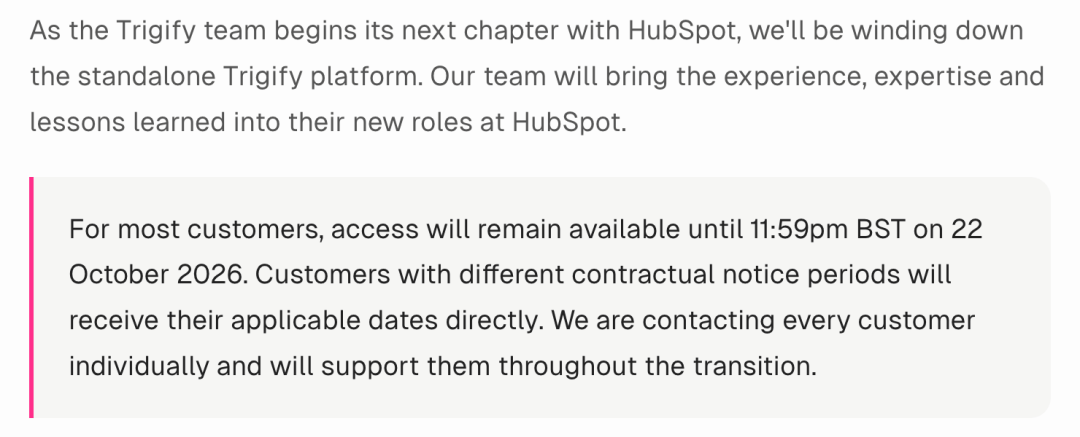
Source: Trigify, “The Trigify team is joining HubSpot: Our next chapter”. Checked 18 October 2026.
What Trigify did, and what Trigify alternatives need to replace
Trigify was a social listening and signal tool. It tracked who liked or commented on posts from profiles you chose, such as your own team, competitors and industry voices. On top of that, it ran keyword searches across LinkedIn and other networks, scored and enriched the people it found, and pushed those signals into your CRM, your sequencer, Slack or Clay.
It was priced on credits rather than seats. According to Trigify’s help centre, the Starter plan cost $40/month for 4,000 credits and the Max plan cost $199/month for 40,000 credits. Each like or comment it pulled used one credit. This matters because most Trigify alternatives charge per seat or per workspace, so your bill may look quite different.
Before you compare tools, work out which job Trigify did for you. Most teams used it for one or two of these four:
- Post engagers: who reacts to your posts, your team’s posts or a competitor’s posts
- Keyword listening: who mentions a topic, a pain point or a rival brand
- Enrichment and routing: turning a LinkedIn name into a CRM record, a Clay row or a Slack alert
- Outreach triggers: starting a sequence when someone shows interest
Before you move to Trigify alternatives: your export checklist
After access ends, Trigify says your data will be kept or deleted under its legal and contract duties. So do not count on getting it back. Use the export options inside Trigify, or email support if you get stuck. Work through this list:
- Signal history. Export every engager and keyword result you still need, with dates. You will want this to re-score accounts later.
- Tracked profiles. Save the list of people and company pages you monitored. This is the hardest thing to rebuild from memory.
- Saved searches and keywords. Copy each search, its filters and its exclusions.
- ICP rules and scoring. Write down the job titles, company sizes and regions you filtered on.
- CRM field mapping. Note which Trigify fields wrote to which HubSpot or Salesforce properties.
- Clay tables. Any Clay table that used Trigify as a source will stop filling. List them now.
- Zaps, webhooks and n8n flows. Find every automation that calls Trigify and decide what will feed it next.
- Sequencer campaigns. Pause or re-point any campaign that enrols people from Trigify signals.
- Billing. Check your final invoice and any credits or refunds with hugo@trigify.io.
Already lost access?
If you are reading this after your end date, start with what Trigify already pushed out. Look in your CRM for records it created, in your Clay tables for past rows, in Slack for old alerts, and in your sequencer for enrolled contacts. That history is still yours. After that, email hugo@trigify.io and ask what can be recovered. Trigify has not promised anything here, so ask early.
The 8 best Trigify alternatives compared

We checked every price below on each vendor’s own website on 18 October 2026. However, some prices are annual-billing rates, so confirm the terms before you sign.
| Tool | Replaces which Trigify job | Starting price | Free trial or plan | HubSpot sync | Best for |
|---|---|---|---|---|---|
| Teamfluence | Engagers, keywords, enrichment | €449/mo (unlimited seats) | Demo; Trigify price match for 3 months | Native | Closest like-for-like swap |
| Syft | Engagers, profile views, job changes | $99/mo (one profile) | 30 days, no card | Native | LinkedIn-first teams |
| ReactIn | Engagers plus LinkedIn sending | $29 per sender/mo | 7 days, no card | Yes | Tight budgets |
| Clay | Keywords, job changes, enrichment | Free; signals from $167/mo | Free plan; 14-day trial | From Growth plan | Teams already in Clay |
| Common Room | Multi-source signals and routing | $2,500/mo (annual) | Demo only | Yes | Larger revenue teams |
| Valley | Engagers plus AI-written outreach | $199 per seat/mo | 7 days, card needed | Yes | Founders and solo SDRs |
| Gojiberry | Signals plus AI outreach | $99/mo | Free trial | Yes | Small teams, hands-off |
| Buska | Keyword listening only | $49/mo | 7 days, no card | Via webhooks | Cheap keyword alerts |
Prices as listed on vendor sites, 18 October 2026. Trigify’s old pricing is from its help centre.
Used Trigify to start conversations, not just collect data?
The eight tools above replace the signal feed. Stack BD covers the signal and the outreach together. It detects more than 20 buying signals, including LinkedIn activity, writes a short script for each prospect, and lets your rep record a real 60-second video and send it as a LinkedIn message, with follow-ups until they reply. Our cold outreach this way averages around a 30% reply rate and a 10% meeting rate. You can run it on its own or on top of any tool in this list. See how signal-triggered video prospecting works.
Where Stack BD fits among Trigify alternatives
Stack BD is a signal-based video prospecting platform. We use LinkedIn engagement and other buying signals every day to start conversations with personal video, so we know how much a lost signal feed hurts. We are not a like-for-like Trigify clone, and we say so below. But if you used Trigify to start conversations rather than to collect data, Stack BD may replace more of your workflow than you expect.
1. Teamfluence: the closest like-for-like swap
Teamfluence covers almost everything Trigify did. It tracks engagement on your posts, your team’s posts, competitors, influencers, keywords and ads. Beyond that, it logs profile visits, company page visits and new followers, then scores each person against your ICP and finds a verified email.
In addition, it has made the most direct offer to Trigify customers. Teamfluence will migrate your setup for free and match your current Trigify price for three months. If leads are not flowing before your Trigify end date, it also promises the first month free. After that, new customers move to the Unlimited plan at €449/month, which covers unlimited seats and 1,000 qualified leads a month. There is also a smaller plan, but its price was not shown when we checked.
Choose it if you want to keep your current workflows and change as little as possible.
2. Syft: LinkedIn-first, with a long trial
Syft tracks reactions and comments on posts you choose, plus profile views and job changes. It works through a Chrome extension, so you do not hand over your LinkedIn password. As a result, you avoid some account risk, which matters because LinkedIn’s terms restrict scraping and automation.
Its Trigify page lists a Founder Mode plan at $99/month for one profile and a Pro plan at $500/month for unlimited profiles. Pro also adds website visitor identification and LinkedIn ads intent. Syft syncs natively with HubSpot, Salesforce, Attio and Pipedrive, and pushes leads straight into Smartlead, Instantly or Apollo. The 30-day free trial needs no card.
Choose it if LinkedIn is your main channel and you want time to test before you pay.
3. ReactIn: the budget pick with sending built in
ReactIn offers more than 20 LinkedIn signals. These include people who engage with competitor posts, people who engage with yours, profile visitors and job changes. It enriches each contact, sorts them by ICP, and can send LinkedIn messages for you.
For example, the Basic plan costs $29 per sender per month for signals and enrichment only. Growth, at $69 per sender, adds outreach. There is a 7-day trial with no card. Choose it if price matters most and you want capture and sending in one place.
4. Clay: for teams that already build in Clay
Many teams used Trigify as a data source inside Clay. As a result, those tables will stop filling when Trigify switches off. Clay now runs its own social listening across LinkedIn, Reddit and YouTube, plus job changes, news and web intent. It also connects to more than 150 data providers.
Clay has a free plan. Social listening and job-change signals start on the Launch plan at $167/month, and CRM syncs start on Growth at $446/month. Note, however, that Clay listens for keywords. It is not a direct swap for tracking who engages with a named profile’s posts. Choose it if your workflows already live in Clay and you have someone to run them.
5. Common Room: for larger teams with many signal sources
Common Room pulls together social and community engagement, job changes, website visitors and third-party intent data, then routes it to your CRM, sequencer or Slack. The Essential plan starts at $2,500/month, billed annually, with five seats. In other words, it costs far more than Trigify did. Choose it if LinkedIn engagement is one of many signals you want in one view.
6. Valley: signals plus an AI SDR
Valley spots relevant engagement, hiring and keyword activity, then qualifies each lead, researches it and drafts LinkedIn and email messages. The Starter plan costs $199 per seat per month, or $149 if you pay quarterly. The 7-day trial needs a card. When we checked, its pricing page also showed a waitlist notice, so confirm you can sign up straight away. Choose it if you want a tool that writes the message, not just a signal feed.
7. Gojiberry: hands-off outreach for small teams
Gojiberry uses AI agents to watch for more than 15 signals, including competitor engagement and company follows. It scores leads against your ICP and runs email and LinkedIn outreach. As for price, the Pro plan costs $99/month for two agents and up to 1,800 prospects a month, with a free trial. Choose it if you are a small team and want outreach to run with little effort.
8. Buska: keyword listening on a budget
Buska watches for keywords and buying intent across LinkedIn, Reddit, X and other sources. In other words, it finds mentions, not lists of post engagers. Plans start at $49/month, with a 7-day trial and no card needed. Alerts go to Slack or Discord, and webhooks and an API arrive on the Growth plan. Choose it if you only used Trigify for keyword alerts.
Which of these Trigify alternatives should you choose?

First, start from the job, not the feature list, because Trigify alternatives differ more by job than by feature. Here is how we would decide:
- You want the same workflows by next week: Teamfluence
- You live on LinkedIn and want a long trial: Syft
- You need the lowest cost: ReactIn for engagers, Buska for keywords
- Your stack runs on Clay: Clay’s own signals
- You want many signal types in one place: Common Room
- You want the tool to write and send for you: Valley or Gojiberry
- You want signals turned into replies from a real person: Stack BD, on its own or alongside any tool above
Trigify alternatives for HubSpot users
Many Trigify customers ran on HubSpot, and as a result some hoped the move would bring Trigify inside it. It will not. Trigify says the product will not appear within HubSpot, and HubSpot has not announced a replacement. So do not wait for one.
Instead, pick one of the Trigify alternatives with a native HubSpot sync. Teamfluence, Syft, ReactIn, Valley, Gojiberry and Common Room all list one. To begin with, rebuild your field mapping, then test with one tracked profile before you switch everything over.
Two questions to ask vendors of Trigify alternatives
How do you collect LinkedIn data? Some tools need your login or session cookie. Others, by contrast, use a browser extension or their own accounts. LinkedIn’s terms restrict scraping and automation, so understand the risk to your account before you connect it.
How do you handle personal data? Engager lists are personal data. If you sell into the UK or EU, ask where data is stored, how long it is kept, and how people can opt out.
The part most Trigify alternatives leave out

Losing Trigify is a good moment to look at what happened after a signal arrived. After all, a signal on its own is just a name and a timestamp. The value comes from what your team does next, and how fast.
In our own campaigns, people who engage with a relevant post are one of the best signals we track. Even so, many teams treat them like any other lead. They add them to a sequence and send the same note everyone else gets. As a result, most buyers spot it in a second.
Here is what works better:
- Act within 48 hours. Interest fades fast, so a reply three weeks later reads as a cold message.
- Stack two signals. A post engagement plus a new hire or a funding round tells you far more than either one alone.
- Do not quote the like back to them. Saying you saw them like a post feels like surveillance, so avoid it. Talk about the topic of the post instead.
- Show you are a real person. In a feed full of AI messages, a short personal video stands out.
How Stack BD works with Trigify alternatives
That last point is why we built Stack BD. To be clear, it is not a like-for-like Trigify replacement, and we will not pretend it is. Stack BD picks up buying signals, including LinkedIn activity, writes a short script for each prospect, and lets your rep record a real 60-second video and send it as a LinkedIn message. Think of it as a power dialler for personal video. Our cold outreach this way averages around a 30% reply rate and a 10% meeting rate.
For example, you can pair it with any of the Trigify alternatives above. Let one tool find the signal, then use video to start the talk. Our signal-triggered video prospecting playbook shows the full workflow.
Common questions about Trigify alternatives
Is Trigify shutting down?
Yes. Trigify announced on 23 September 2026 that its team is joining HubSpot and the standalone platform is being retired. For standard customers, access ends at 11:59pm BST on 22 October 2026. Monitoring, signal collection, integrations and API access stop at that time. Customers with different contract terms receive their own end dates directly from Trigify.
Did HubSpot buy Trigify?
HubSpot hired the Trigify team, and Trigify describes it as HubSpot’s acquisition. But the product is not moving across. Trigify’s FAQ says the platform, accounts and service will not continue within HubSpot, and customer accounts will not be migrated. HubSpot has not published a product to replace it, and the deal terms have not been disclosed.
Will my Trigify data move to HubSpot?
No. Trigify says your customer data will not be used by HubSpot as part of the team’s move. It will be retained or deleted under Trigify’s contract, privacy and legal duties. Export your signal history, tracked profiles, saved searches and CRM field mapping before your access ends, or email hugo@trigify.io for help.
Which Trigify alternatives are closest to the original?
Of all the Trigify alternatives, Teamfluence is the closest like-for-like swap. It tracks post engagement across your team, competitors, influencers and keywords, then scores and enriches each person. It also offers Trigify customers free migration and a price match for three months. Syft is a strong second choice for LinkedIn-first teams, with a 30-day free trial.
Can Stack BD replace Trigify?
It depends on what you used Trigify for. Unlike most Trigify alternatives, Stack BD is not a like-for-like copy. It does not export lists of post engagers into Clay or Google Sheets. But if you used Trigify to find warm prospects and start conversations, Stack BD covers that whole job. It detects more than 20 buying signals, including LinkedIn activity, writes a script for each prospect, and lets your rep send a real 60-second video as a LinkedIn message. Plans start at $130 per user per month, billed yearly.
Are there free or cheap Trigify alternatives?
Clay has a free plan. However, its social listening signals start at $167/month. For paid tools, ReactIn starts at $29 per sender per month for LinkedIn signals, and Buska starts at $49/month for keyword listening. However, most other Trigify alternatives offer a free trial of 7 to 30 days rather than a free plan.
What happens to Clay tables that used Trigify?
They stop filling, because Trigify says all integrations and API access end with your account access. Any Clay table, Zap, webhook or n8n flow that pulled from Trigify needs a new source. List them before your end date, then rebuild each one with your new tool or with Clay’s own signals.
How do I track who engages with LinkedIn posts now?
For this, use a dedicated engager tracker such as Teamfluence, Syft or ReactIn. In each case, you choose profiles to watch, such as your team or a competitor, and logs who likes or comments. They then enrich those people and push them to your CRM. Check how each tool collects LinkedIn data, because LinkedIn’s terms restrict scraping and automation.
Further reading
For more on turning signals into meetings, we recommend:
- 57 buyer intent signals and how to spot them – The full list of signals worth tracking, beyond LinkedIn engagement.
- Signal-triggered video prospecting playbook – How to turn a signal into a reply within 48 hours.
- Video prospecting ROI: 2026 report – How video compares with cold email and phone.
- AI SDRs vs human reps: 2026 data – What happens when you hand outreach to AI.
Stack BD is a power dialler for personal video. It picks up buying signals, writes a script for each prospect, and lets your reps send a real 60-second video as a LinkedIn message. Our cold outreach this way averages around a 30% reply rate and a 10% meeting rate. If you are rebuilding your signal workflow after Trigify, we would love to talk.